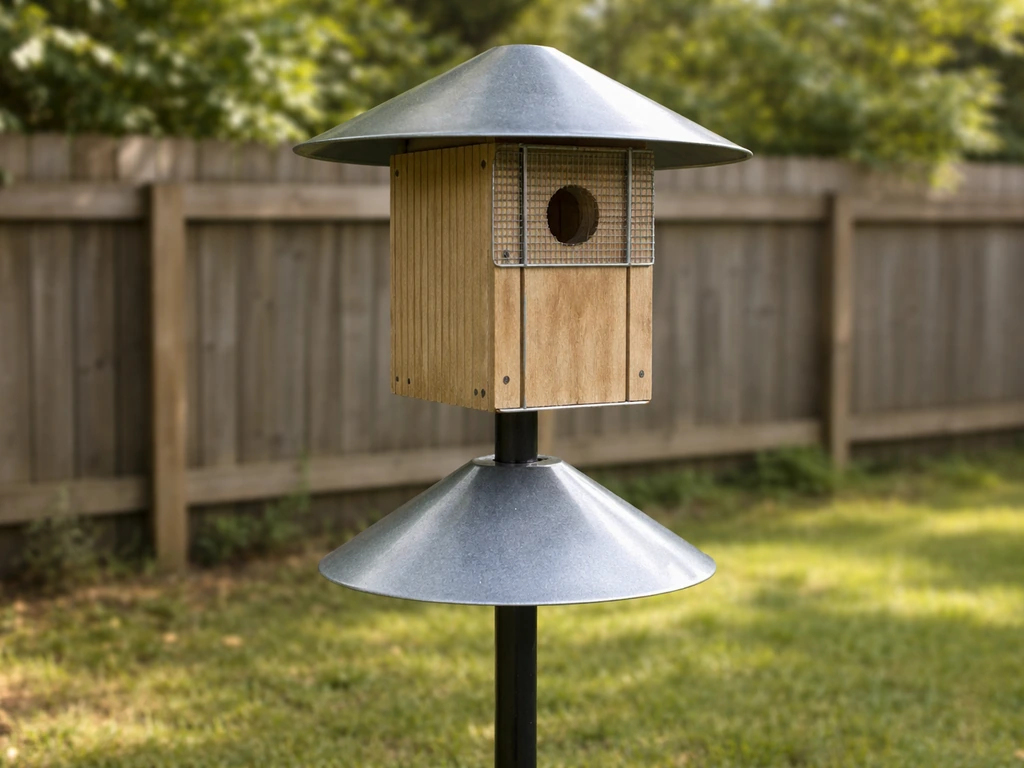
A smart bird house is worth it when it lets you watch nesting activity without opening the box every few days. The best ones combine a built-in camera, motion-triggered recording, a weatherproof enclosure built to correct species dimensions, and a power source that doesn't require you to disturb the nest to swap batteries. If you want a single recommendation to start with: look for a Wi-Fi camera birdhouse (like the Birdfy Nest Wood category of products) that runs on solar-assisted battery power, stores video to the cloud automatically, and is built from untreated wood with the correct entrance-hole diameter for your target species. If you want to compare options, use this guide to find the best bird house with camera for your yard and target species. If you're shopping for the best bird house with camera, use the checklist and installation tips later in this guide to narrow down the right model Wi-Fi camera birdhouse. If you're comparing this against a simpler option, the key trade-off is between convenience and complexity when choosing the best nest bird house. Then mount it on a pole with a predator baffle at 5 feet off the ground, point the camera away from the entrance before nesting begins, and let the app do the watching for you.
Best Smart Bird House: Buyer Guide, Setup, and Safety
What makes a bird house "smart" (and what to actually look for)
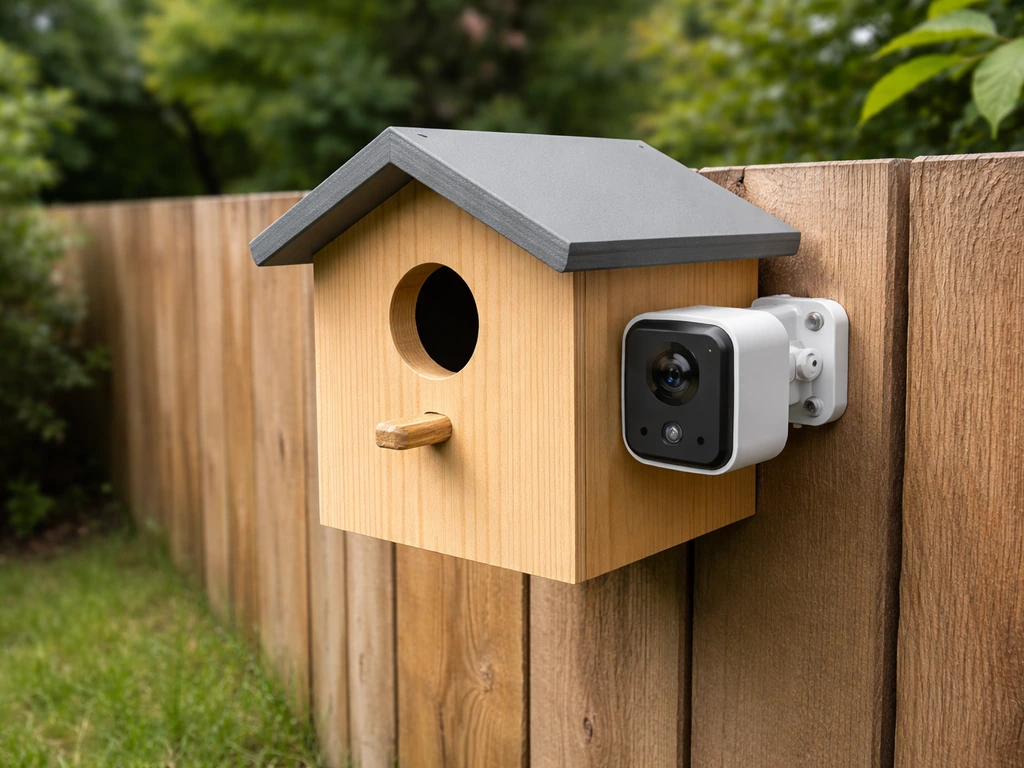
"Smart" in this context means the bird house has electronics built in that let you monitor what's happening inside or outside the box without physically being there. That usually means some combination of a camera, a microphone, motion or heat sensors, a Wi-Fi or Bluetooth radio, and an app on your phone. The Birdfy Nest Wood is a well-known example: it connects to the Birdfy app over Wi-Fi, records motion-triggered video clips (20 seconds per trigger by default, with a 2-minute cooldown between recordings), stores footage to the cloud for 30 days, and is powered by both battery and a solar panel. It also has an AI layer called "Story" that identifies behaviors and assembles curated highlight clips rather than just dumping raw footage at you.
That AI curation is actually one of the more useful things to look for. A raw motion-triggered camera will flood your phone with notifications every time a leaf blows past. A system that filters and summarizes (daily highlights, behavior tags, species identification) is far more practical for long-term monitoring. Look for a "Do Not Disturb" or notification-filtering option so you can mute alerts for species you're not tracking. The Birdfy app, for instance, lets you add bird tags to a block list so you stop getting pinged for every house sparrow visit.
Here are the features worth comparing when you're shopping:
- Camera resolution and low-light/night IR performance (you want to see inside the dark box)
- Motion trigger sensitivity and cooldown settings (adjustable is better)
- AI species or behavior identification (genuinely useful, not just a marketing add-on)
- Cloud storage duration and SD card option as a backup
- Power source: solar-assisted battery is the best option for minimizing nest disturbance
- Wi-Fi range and whether it can operate offline with local SD storage if connectivity drops
- App quality: notification filtering, daily summaries, live view capability
- Privacy controls: who has access to your footage and for how long
On privacy: cloud-stored video of your backyard is something to think about deliberately. Check whether the service stores footage on servers you can't control, whether you can delete clips manually, and whether the footage is used for AI training. Opting for a hybrid setup with a local SD card alongside cloud backup gives you more control. Some setups let you run entirely offline over a local network, which is worth considering if you're cautious about cloud storage.
Bird-safety basics first: dimensions, materials, and humane design
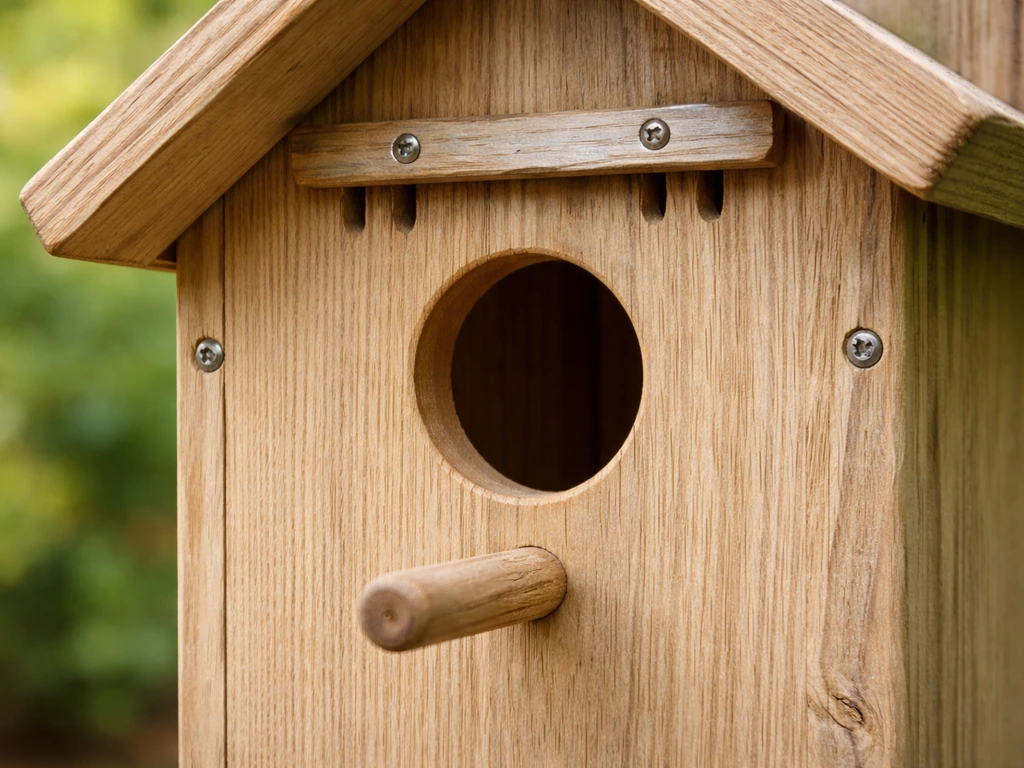
No amount of smart technology makes up for a box that's the wrong size or built from materials that harm birds. This is the most important section in the article. Get the bird-safety fundamentals right first, then layer in the smart features.
Entrance-hole size is non-negotiable
The entrance-hole diameter determines which species can use the box and which predators can reach inside. In a Birdfy birdhouse entrance-hole sizing discussion on r/Birdfy, users compare recommended hole diameters like 1.5 inches and talk about using hole reducers or guards to deter other species blank" rel="noopener noreferrer">entrance-hole diameter. NestWatch’s Mountain Bluebird species page also provides entrance-hole sizing guidance and dimensions specific to bluebird nest boxes entrance-hole diameter. A hole that's too large invites European starlings and gives raccoons easier access. A hole that's too small locks out your target species. Here are the standard sizes for the most common cavity nesters:
| Species | Entrance Hole Diameter | Mounting Height |
|---|---|---|
| Eastern/Western Bluebird | 1.5 inches | 4–6 feet (5 feet is standard) |
| Chickadee / Nuthatch / Wren group | 1.125 inches (1 1/8") | 4–15 feet |
| Tree Swallow | 1.5 inches | 5–10 feet |
| House Wren | 1.0–1.25 inches | 5–10 feet |
| Downy Woodpecker | 1.25 inches | 6–20 feet |
| Purple Martin (colony house) | 2.125 inches | 15–20 feet |
If you're buying a smart bird house rather than building one, verify these dimensions against the product specs before purchasing. Many commercial "decorative" smart boxes use generic dimensions that don't match any real species requirement.
Material and construction standards
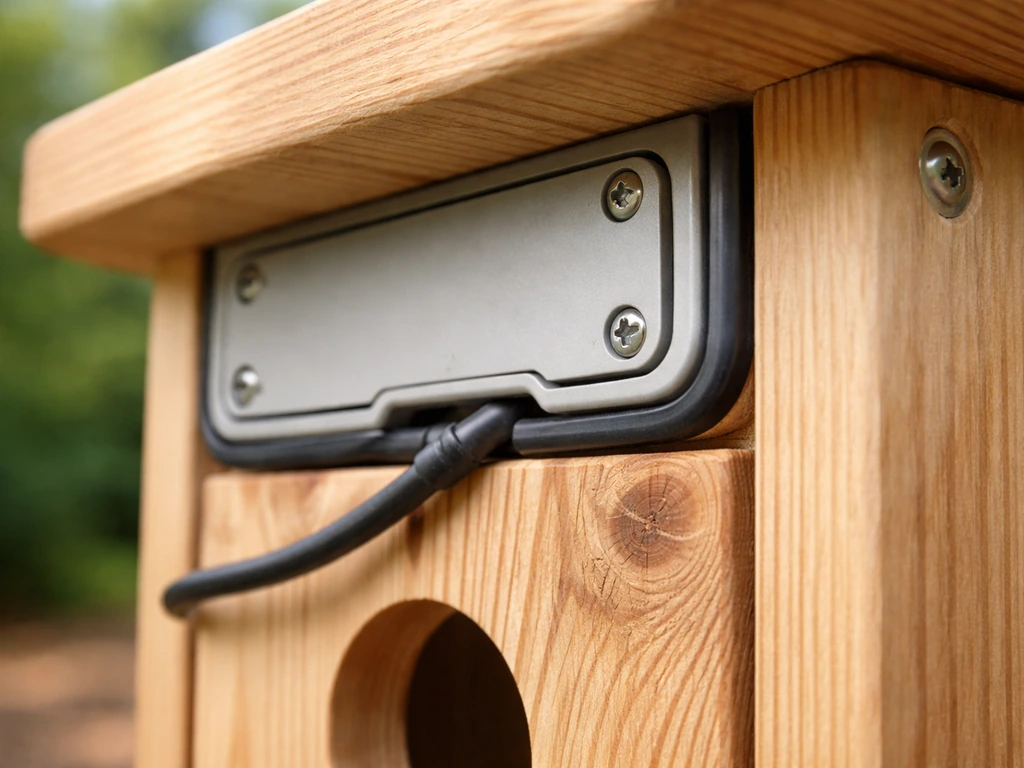
NestWatch's guidance is clear: use untreated, unpainted wood as the default. Cedar, white pine, and yellow pine are all rot-resistant enough for outdoor use without chemical treatment. If you want to paint the exterior for sun reflection in hot climates, a light-colored exterior paint is acceptable, but the interior should always stay bare, unfinished wood. Never use pressure-treated lumber, stained wood, or plywood with formaldehyde-based adhesives inside the box where chicks will be.
For smart bird houses specifically, the electronic components add some material considerations. The camera housing and any plastic elements should be UV-stabilized so they don't degrade and crack over a season. Ventilation is critical: gaps between the roof and the top of the side walls, or 1–2 drilled holes near the roof on each side, allow heat to escape without letting in rain. A 5-inch roof overhang above the entrance hole reduces raccoon and cat predation significantly and keeps rain out of the camera lens. This U.S. Fish & Wildlife Service document also discusses predator-related entrance and roof overhang design elements for birdhouses. Skip any box that includes a perch below the entrance hole: perches help predators, not birds.
Choosing for your yard and target species (region, placement, and timing)
Smart monitoring works best when you've already matched the box to the right bird, habitat, and season. A camera-equipped bluebird box in a forest understory is going to sit empty regardless of how good the app is.
Habitat matching by species
- Bluebirds: open fields, meadows, or yards with short grass and perching spots; avoid dense tree cover
- Tree Swallows: near water, open areas; they compete with bluebirds so pair boxes 5–10 feet apart if you want both
- Chickadees and Nuthatches: woodland edges, yards with mature deciduous trees
- House Wrens: shrubby woodland edges, gardens with dense plantings nearby
- Downy Woodpeckers: yards with dead or dying trees (snags) nearby
Seasonal timing: install before the birds do
NestWatch is explicit on this: install your camera-equipped box before birds begin nesting, not after. Once a nest is active, adding or adjusting a camera risks nest abandonment and increased predation from the disturbance. In most of the continental US, that means getting boxes up by late February or early March for bluebirds and tree swallows, and by March or April for chickadees and wrens. In southern states, bluebird nesting can begin as early as late January. In the Pacific Northwest and northern tier states, you have until late March or early April. The rule: if you're reading this in spring and haven't installed yet, do it this week, and test all electronics before any bird shows interest.
Regional timing also matters for cleaning. Bluebirds often raise 2–3 broods per season. Eastern and Western bluebirds fledge in roughly 16–19 days after hatching. After each brood fledges, you have a short window to clean the box before the pair may start a second clutch. Your smart camera is the tool that tells you exactly when the box is empty, which removes the guesswork from that decision entirely.
Feature-by-feature comparison checklist
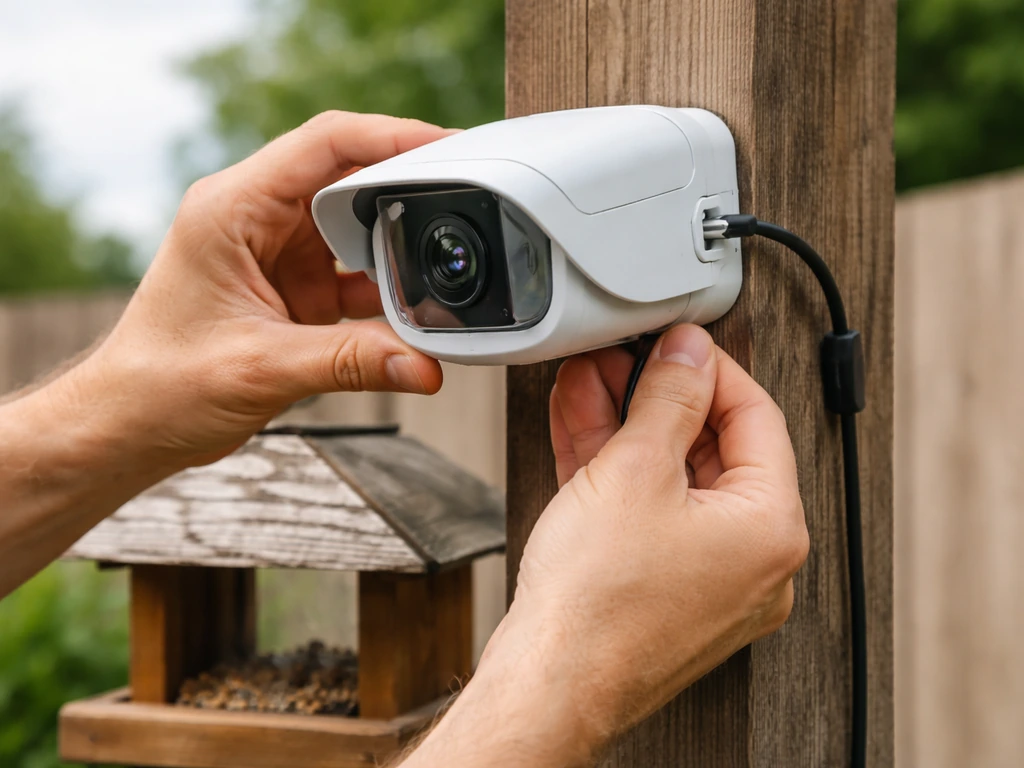
Use this checklist when evaluating any smart bird house or camera-add-on kit. It covers the five categories that actually matter for long-term, bird-safe monitoring.
| Feature Category | What to Look For | Red Flags |
|---|---|---|
| Sensors / Camera | IR night vision, wide-angle lens (120°+), adjustable motion sensitivity | Fixed sensitivity, no night mode, camera positioned at entrance (blocks birds) |
| App & Alerts | Daily summaries, species ID, notification filtering, live view, Do Not Disturb mode | Constant raw motion alerts only, no filtering, app requires subscription to view own footage |
| Storage | Cloud (30-day minimum) plus local SD card option | Cloud-only with no local backup, short retention under 7 days |
| Power | Solar-assisted battery (rechargeable), low-power standby mode | AA batteries only (requires frequent swaps = nest disturbance), no solar option |
| Privacy & Data | Local SD option, manual deletion, clear data retention policy | No SD card option, footage used for third-party AI training without opt-out, no deletion controls |
A note on connectivity: most smart bird houses require 2.4 GHz Wi-Fi. If your yard is more than 50–75 feet from your router, you'll likely need a Wi-Fi extender. Some systems support Bluetooth-only mode for very short range, but that limits you to being physically near the box to access footage. If you're mounting far from the house, check whether the device can operate fully offline with SD card storage and sync when back in range, or budget for a Wi-Fi extender or mesh node.
Installation: mounting, camera positioning, and weatherproofing
Good installation is the difference between a smart bird house that works all season and one that collects glare, fog, false alerts, or predator visits. Do this before any birds show interest.
- Choose a smooth metal pole over a tree or wooden post. Pole mounting makes predator baffle installation straightforward and is far more effective at excluding raccoons, snakes, and cats than any other mounting approach.
- Set the entrance hole at 5 feet above the ground for bluebirds and tree swallows. Chickadees and wrens can go higher (up to 10–15 feet) if that matches your habitat. Mounting below 5 feet significantly increases predator climbing and jumping risk.
- Install a stovepipe or cone-style predator baffle on the pole below the box. The baffle should be positioned so nothing can climb above it to reach the box entrance.
- Orient the entrance hole away from prevailing wind and afternoon sun. East or northeast-facing entrances work well across most of the US. This also keeps the camera interior cooler, which reduces condensation.
- Position the camera before the box goes up. Most built-in cameras in smart bird houses are fixed. If you're adding an aftermarket camera, mount it inside at the back of the box (opposite the entrance), angled slightly downward toward the nest cup. Never block or partially obstruct the entrance hole with the camera or its cable.
- Run any external cables down the inside of the pole and secure them so they can't be pulled by birds or caught in a predator baffle.
- Seal camera housing seams with clear silicone rated for outdoor use if the manufacturer hasn't already done so. Pay special attention to any cable entry points into the box.
- Power up and run the app in test mode for at least 48 hours before the box is in its final position. Check night IR quality, motion trigger range, and that the solar panel (if present) is actually charging the battery in your specific yard position.
For weatherproofing the electronics specifically: the camera lens is the most vulnerable point. A 5-inch roof overhang above the entrance does double duty, protecting both birds from predators and the camera from direct rain. If you notice condensation inside the lens after the first few cold nights, check that the ventilation gaps near the roof are open and unobstructed. Trapped humid air inside a sealed smart box is the most common cause of lens fogging.
Maintenance, cleaning, and monitoring without disturbing nests
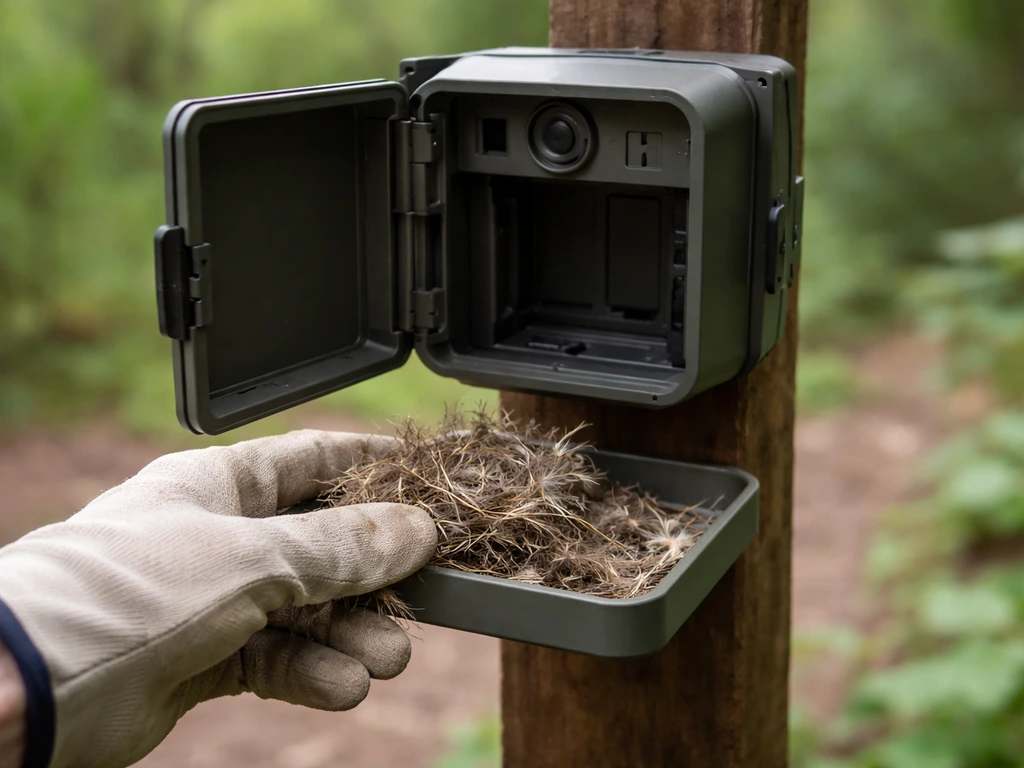
Your smart camera's most conservation-relevant job is telling you exactly when the box is empty so you can clean it without guessing. NestWatch is emphatic: only open or clean the box when there is absolutely no sign of breeding activity. That means no eggs, no nestlings, and no adults entering and exiting regularly. If you're unsure, wait another day and check the camera again.
Cleaning schedule
- After each brood fledges (confirmed via camera), remove old nesting material within a day or two. This gives the pair a clean box for a potential second clutch and removes parasites like blowfly larvae that can harm chicks.
- Clean the interior with mild soapy water and let it dry completely before closing the box.
- If the nest was heavily soiled with fecal matter, use a solution of 1 part bleach to 10 parts water, scrub thoroughly, rinse well, and allow to air-dry fully before closing.
- At the end of the breeding season (typically October through November in most US regions), do a final full clean-out and inspect the box for structural damage, loose camera mounts, cracked seals, and corroded battery contacts.
- Clean the camera lens with a dry microfiber cloth. Never use spray cleaners inside the box.
- Check that the solar panel surface is clean and unobstructed by debris or bird droppings.
The smart monitoring angle here is genuinely valuable. Because you can watch the box remotely, you don't need to physically visit it to know whether it's empty. NestWatch recommends keeping any nest visit to about 1–2 minutes maximum. With a camera, you can confirm the nest is empty from your phone and open the box only when you're certain. That's a real welfare improvement over blind guesswork.
One thing to watch for on the electronic side: after a season of outdoor use, check the SD card (if you're using one) for corruption. Format it fresh each fall rather than just deleting files. Re-pair the device to your app after any router changes, and update the firmware before the next nesting season begins.
Troubleshooting and getting more birds to use the box
Connectivity and app problems
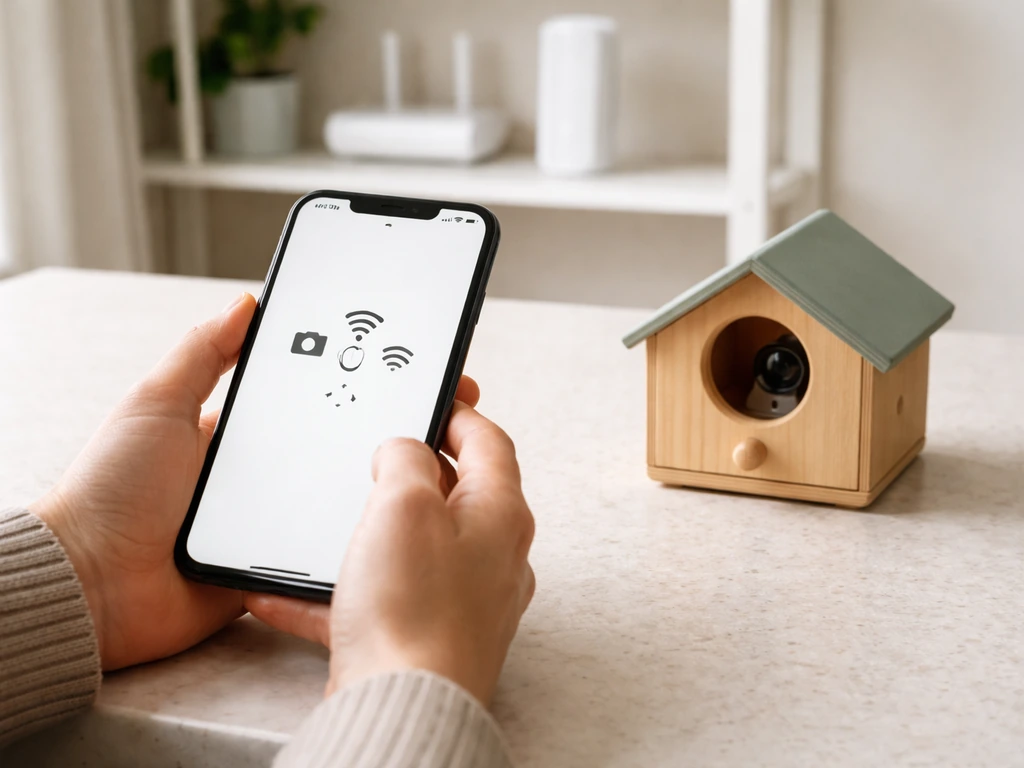
- Box not connecting: confirm you're on a 2.4 GHz network, not 5 GHz; most smart bird house cameras only support 2.4 GHz
- Weak signal or dropouts: move your Wi-Fi extender closer to the box, or use a mesh node outdoors; keep the camera at least 50 feet within reliable signal range
- App not receiving alerts: check that motion sensitivity isn't set to minimum; verify notification permissions for the app on your phone
- Constant false alerts: reduce motion sensitivity, adjust the camera angle away from moving branches or reflective surfaces
- Night IR glare: if the IR LEDs are reflecting off the interior wood walls, check whether IR intensity is adjustable in the app; lightly sanding or darkening the interior walls with a non-toxic finish can reduce bounce-back
- Condensation on lens: improve ventilation by clearing the roof-edge gaps; in extreme cases, add a small packet of silica gel inside the box cavity away from the nest cup, replacing it during each cleaning
Birds aren't using the box
The most common reasons a smart bird house sits empty have nothing to do with the camera. First, check species match: is the entrance hole the right diameter for the birds in your area? Second, check habitat: bluebirds won't use a box in a shaded, wooded yard no matter how good the app is. Third, check timing: if you installed in May in the mid-Atlantic, most cavity nesters have already claimed their sites. Fourth, check for house sparrows. If house sparrows are entering and building a messy nest of grass and trash, remove their nesting material repeatedly and consistently until they give up. Never do this for native species.
If the habitat, hole size, and timing are all correct but the box is still empty after a full season, try moving it. Cavity nesters have site preferences that aren't always predictable, and sometimes shifting a box 20–30 feet in a slightly different direction or orientation is enough. Your camera footage will also show you whether any bird has even investigated the entrance. If birds are looking but not entering, the interior may be too smooth for them to grip: rough up the interior wall below the entrance hole with a chisel or coarse sandpaper so birds can get purchase when entering and exiting.
A smart bird house pairs especially well with a dedicated bird house pole setup and a bird house with camera approach to monitoring. Wi-Fi camera birdhouse options are best when paired with a dedicated bird house pole setup like the one above. If you're comparing this against a simpler option, the key trade-off is between convenience and complexity. A basic quality bird house with good dimensions and materials will attract just as many birds as a smart one. The smart features exist entirely for your benefit as a monitor, not for the birds. If you also want to reduce waste, the best out of waste bird house can be a fun way to use safe materials without compromising bird-safety standards. Keep that in mind and you'll make the right call for your situation.
FAQ
Can I reposition or adjust the camera after birds start nesting?
Set up and test the camera before any nesting begins, then treat the box interior as off-limits once you see adults starting regular activity (entering and exiting). If you must troubleshoot, pause and wait for a clear empty period visible on the app, then do the minimum handling possible so you do not disrupt the pair.
What happens to recordings if my Wi-Fi goes down?
Yes, but only if the birdhouse is designed to store to SD in a way that does not require frequent power cycles or frequent app logins. If offline mode still depends on a live connection for events, expect gaps in recordings during outages. A practical check is whether the device can run continuously on its power source and keep time-based event logs even when Wi-Fi drops.
How should I aim the camera to reduce disturbance and false notifications?
Avoid heavy indoor or ceiling mounts, and avoid aiming the camera at the entrance hole. Because birds can be sensitive to light and motion, keep the field of view angled to observe the interior area while leaving the entrance as the least brightly lit portion of the frame. If your system supports motion zones, exclude the entrance edge to reduce false alerts.
Will a motion-triggered camera record everything important, or will I miss key moments?
Motion-triggered clips can miss behaviors that happen quietly or briefly. If your app offers scheduling or continuous low-frame recording, use it during peak monitoring windows rather than relying only on motion. Also look for AI behavior tags, because they typically reduce “leaf-only” notifications compared with raw motion alerts.
How do I know the right day to clean, especially for the second brood?
Cleanings are safest when breeding activity is definitively over. Even with a camera, wait for no eggs, no nestlings, and no regular adult visits. If there is any uncertainty, recheck the following day, then open quickly and remove only what is necessary, since long, repeated visits can still increase predation risk.
How can I tell if solar-assisted power will last through cloudy stretches?
Yes, but do not assume battery capacity equals “all season.” Solar-assisted setups can underperform in consistently cloudy areas or when the roof panel is shaded by trees. Check real-world spec details such as expected recording hours per day and whether the device can maintain storage during extended low-sun periods.
Should I update firmware or app settings during nesting season?
Yes, you should plan for periodic firmware and app changes, but do them only when you are confident no nesting is active. Updates can alter motion sensitivity, recording length, or notification rules, and those changes might increase disturbances during active nesting. A good practice is updating in late fall or right after the final fledge.
If I can delete clips, does that also remove them from any AI or server processing?
Use caution with “hybrid” privacy features. Some systems let you delete clips manually, but others only delete from the app and keep a server copy for a retention period. Before buying, verify the exact controls available to you, such as whether AI processing happens on-device or on remote servers, and whether deletions are immediate or delayed.
What if my entrance hole size is right, but birds investigate and never enter?
Most species that use cavity-style nest boxes grip interior walls to enter and exit. If the smart box uses a smooth interior insert or plastic lining, it may reduce success even with the correct entrance size. A reliable remedy is roughening only the interior wall below the hole (lightly), never the entrance rim, and never altering structural or electronic housings.
What should I do if house sparrows are using the smart bird house?
Yes. House sparrows can occupy sites and repeatedly remove native nesting material later. If sparrows are actively taking the box, remove their nesting material consistently until they stop, but do not do the same for native species. Use the camera to confirm whether native birds are present before any intervention.
Is a Wi-Fi extender enough, or should I choose a bird house that can fully operate offline?
You can, but choose the approach based on your range and tolerance for connectivity risk. If you mount far from your router, the safest setup is one that supports offline SD operation and later sync, so you do not lose an entire nesting cycle during outages. If offline mode is limited, budget for an extender or mesh node near the mounting spot.
How do I prevent SD card corruption and silent recording failures?
Replace or refresh storage each season. If the device uses SD, format it in advance of the nesting window rather than only deleting files, since file systems can become inconsistent after long outdoor recording. Also confirm the device properly detects the SD card at startup, because a “present but not recording” condition can look like an empty box.
Best Nest Bird House: How to Choose, Install, and Maintain
Buy and install the best nest bird house for your backyard: size, placement, predator-proofing, and cleaning tips by spe